下面的代码片段会从一行中读取三个整数,并输出它们的和。例如,给定输入:
1 2 3
输出如下:
The sum of these three numbers is 6
你可以在 ide.usaco.guide 中测试这些代码。
下面这些方法应该选择哪一种?
都可以,选择自己最熟悉的即可!
标准输入输出
在大多数网站(如 Codeforces 和 CSES)以及 2020 年 12 月之后的 USACO 题目中,输入输出都采用标准输入输出。
方法一——input() 与 print()
最直观的输入输出方式,是使用内置的 input() 和 print()。input() 返回下一行,可以再用各种 Python 方法处理;print() 接收一个字符串和可选的 end 字符串(默认为 '\n')。下面通过注释展示不同输入输出场景。
# Read in a stringmy_str = input()# Prints the string on its own lineprint(my_str)# Take in an integer n on a single linen = int(input())# Prints n with " test" (no newline) after itprint(n, end=" test")
方法二——stdin 与 stdout
第一种读取输入的方法可能比使用 stdin 慢得多(有时甚至慢数百倍)。再加上 Python 本身运行速度相对较慢,快速读取输入就显得格外重要。
# Import the sys module to use stdin/stdoutimport sys# sys.stdin/stdout is similar to a file in that we read lines for input/outputmy_str = sys.stdin.readline()sys.stdout.write(str(myStr) + "\n")# Renaming the read/write methods for convenienceinput = sys.stdin.readlineprint = sys.stdout.write
还可以使用 split、map 或列表推导式,读取同一行中由空白分隔的多个整数。
import sys# Read in a series of numbers on one line into a listnums = [int(x) for x in input().split()]# This does the same thingnums = list(map(int, input().split()))# stdin/stdout, just replace input() with sys.stdin.readline()nums = list(map(int, sys.stdin.readline().split()))
如果要解包固定数量的整数,也可以使用类似写法。
import sys# Read in integers n and m on the same line with a list comprehensionn, m = [int(x) for x in input().split()]# Do the same thing but with map insteadn, m = map(int, input().split())# stdin and stdoutn, m = map(int, sys.stdin.readline().split())
因此,读取三个整数并输出它们的和非常简单。规模更大(数千个整数)时,为了速度而使用 stdin 和 stdout 就重要得多:
import sysa, b, c = map(int, input().split())print("The sum of these three numbers is", a + b + c)# stdin and stdouta, b, c = map(int, sys.stdin.readline().split())print("The sum of these three numbers is", a + b + c)
示例题——奇怪的算法
Focus Problem – try your best to solve this problem before continuing!
请尝试自行实现!
| Resources | |||||
|---|---|---|---|---|---|
| GCP | 本题的 C++ 示例解法 | ||||
题解——奇怪的算法
x = int(input())while x != 1:print(x, end=" ")if x % 2 == 0:x //= 2else:x = 3 * x + 1print(x)
C++
如上面的资料所述,本题需要使用_64 位整数_。下面的解法使用 int 而不是 long long,无法通过全部测试数据。
#include <iostream>using namespace std;int main() {int x;cin >> x;while (x != 1) {cout << x << " ";if (x % 2 == 0) {x /= 2;
这是因为序列中的数可能超过 int 数据类型的最大值(,见前置模块)。
Java
Python
C++
Java
如上面的资料所述,本题需要使用_64 位整数_。下面的解法使用 int 而不是 long,无法通过全部测试数据。
import java.util.Scanner;public class Main {public static void main(String[] args) {Scanner r = new Scanner(System.in);int x = r.nextInt();while (x != 1) {System.out.print(x + " ");if (x % 2 == 0) {x /= 2;
这是因为序列中的某些数可能超过 int 数据类型的最大值(,见前置模块)。
Python
如何提交解法
选择 IDE
本节假定你使用 USACO Guide IDE 之类的在线 IDE。使用本地 IDE的步骤类似,只需跳过下载代码这一步。
在 CSES 上提交时,请按以下步骤操作。其他平台(如 USACO)的提交流程与之类似。
- 使用样例输入运行解法代码,确认产生样例输出。
- 将解法代码下载为文件。根据所用语言,文件扩展名应为
.cpp、.java、.py或对应的其他扩展名。 - 打开题目页面;如果尚未登录,请先登录。
- 点击提交标签页(USACO 需要滚动到页面底部)。
- 上传解法文件。在 CSES 中,只要扩展名正确,系统通常会自动识别语言;在 USACO 中需要自行选择语言。有些平台(如 Codeforces)允许直接把代码粘贴到文本框,而不必上传文件。
- 提交解法。CSES 会跳转到结果页面;USACO 的结果会显示在页面顶部。如果解法通过全部测试数据,就完成了!否则请修复代码,并从第 1 步重新开始。
C++
Java
提交文件的名称必须与公有类名相同。例如,如果公有类名为 PublicClassName,提交文件就必须命名为 PublicClassName.java。
Python
提交往届 USACO 题目
如果使用 USACO Guide IDE,可以通过其中的 “Settings -> Judge” 向部分往届 USACO 题目提交。不过,正式比赛进行期间不能用它提交。
文件输入输出
USACO 文件输入输出
2020 年 12 月及之后的 USACO 题目使用标准输入输出,而非文件输入输出。提交更早的题目时仍需使用文件输入输出。
较早的 USACO 题目会给出输入输出文件名,输入文件通常遵循 problemname.in 的命名格式。程序运行后,必须将输出写入名为 problemname.out 的文件。
Focus Problem – try your best to solve this problem before continuing!
View Internal Solution打开 .in 和 .out 文件时,必须根据题目使用正确的文件名。需要文件输入输出的 USACO 题目会给出这些文件名。例如,上面的题目应打开 paint.in 和 paint.out。
Python
文件输入输出的文档请参阅这里。
Python 中最直观的文件输入输出方式,是将系统输入输出重定向到文件。完成后,便可像平常一样使用上面的 input() 和 print()。
import syssys.stdin = open("problemname.in", "r")sys.stdout = open("problemname.out", "w")
另一种方法仍然使用 open(),但通过内置的 .readline() 或 .readlines() 读取文件:
"""Note: The second argument can be omitted in the open()command for read-only files"""fin = open("problemname.in", "r")fout = open("problemname.out", "w")# One way to read the file using .readline()line1 = fin.readline()# readline() will pick up where you left off
fin.readline()会以字符串形式返回下一行。当题目只需读取少量行,但仍要把每个值映射到变量时,这种方法很有用。fin.readlines()会把文件全部内容作为列表返回,并按换行符("\n")分隔。与 for 循环结合后,可以简洁地处理题目中同一行的多个变量。请注意,列表中每一行的末尾仍会保留"\n"。fout.write(data)会把变量data写入文件。data必须是字符串,可用str(my_var)转换非字符串变量。write()不会在末尾自动换行;如需换行,还必须执行fout.write("\n")。f-string 在 Python 3.6 中加入,通常比字符串拼接更美观。定义 f-string 时,只需在字符串开头前添加字母
f,花括号({})中的变量或表达式就会被放入字符串。例如,fout.write(f"{var1} {var2} {var3+var4}")比fout.write(str(var1)+" "+str(var2)+" "+str(var3+var4))清晰得多。
读取一行后,可能还需要进一步处理。Python 提供了许多内置字符串方法和函数:
str.strip()会移除开头和末尾的空白。读取一行后应当始终调用它,以确保没有多余空白:line = fin.readline().strip()。map(func, iterable)会对传入的可迭代对象(列表)中的每个元素执行函数参数func。它适合把字符串列表转换为整数列表:nums = list(map(int, ["1", "2", "3"]))。请注意,map()返回 Map 对象,需要用list()将其转换为列表。str.split(delim)会拆分字符串;不传参数时按空白拆分。它适合把由空格分隔的整数字符串转成整数:nums = list(map(int, line.split()))。
示例解法——篱笆涂色
| Resources | |||||
|---|---|---|---|---|---|
| USACO | 请务必阅读。 | ||||
下面解法的说明请参阅矩形几何模块。
方法一
with open("paint.in", "r") as inp:lines = [line for line in inp]a, b = map(int, lines[0].split())c, d = map(int, lines[1].split())cover = [0] * 100for i in range(a, b):cover[i] = 1for i in range(c, d):cover[i] = 1
方法二
如上文所述,使用 sys 重定向文件输入。
import syssys.stdin = open("paint.in", "r")sys.stdout = open("paint.out", "w")a, b = map(int, input().split())c, d = map(int, input().split())cover = [0] * 100for i in range(a, b):
USACO 注意事项——多余空白
需要注意,如果文件末尾没有换行,USACO 会自动添加一个换行符。
偶尔在比赛窗口刚开始的一段时间里,标准输出文件末尾没有换行符,这会导致题目无法通过。
请确保不要输出行尾空格,否则会看到类似下面的错误:
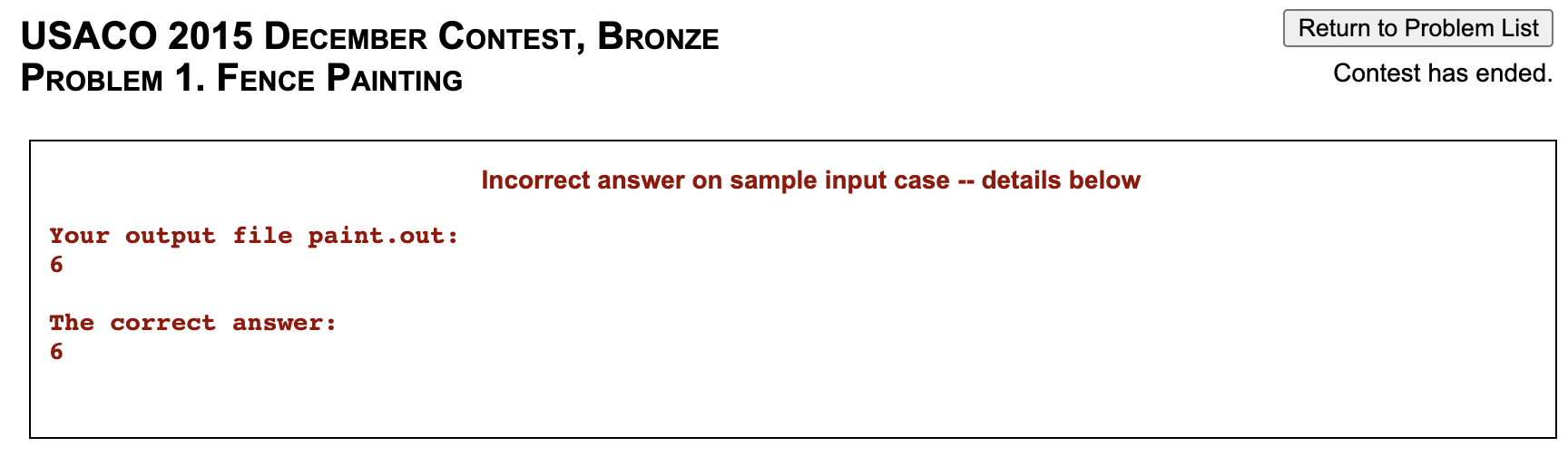
如果预期输出只有一个整数 ans,下面给出一些允许和不允许的输出示例:
Python
print(ans, end="") # OK, no newlineprint(ans) # OK, newlineprint(str(ans) + "\n", end="") # OK, newlineprint(str(ans) + " ", end="") # NOT OK, extra spaceprint(str(ans) + "\n") # NOT OK, extra newline